



Hire an admin,
not another app.

CrewRun answers your messages, quotes the job, books the slot, dispatches your crew, sends the invoice, and chases the payment. You stay the boss.

Who trusts us

Your admin work,
on autopilot.

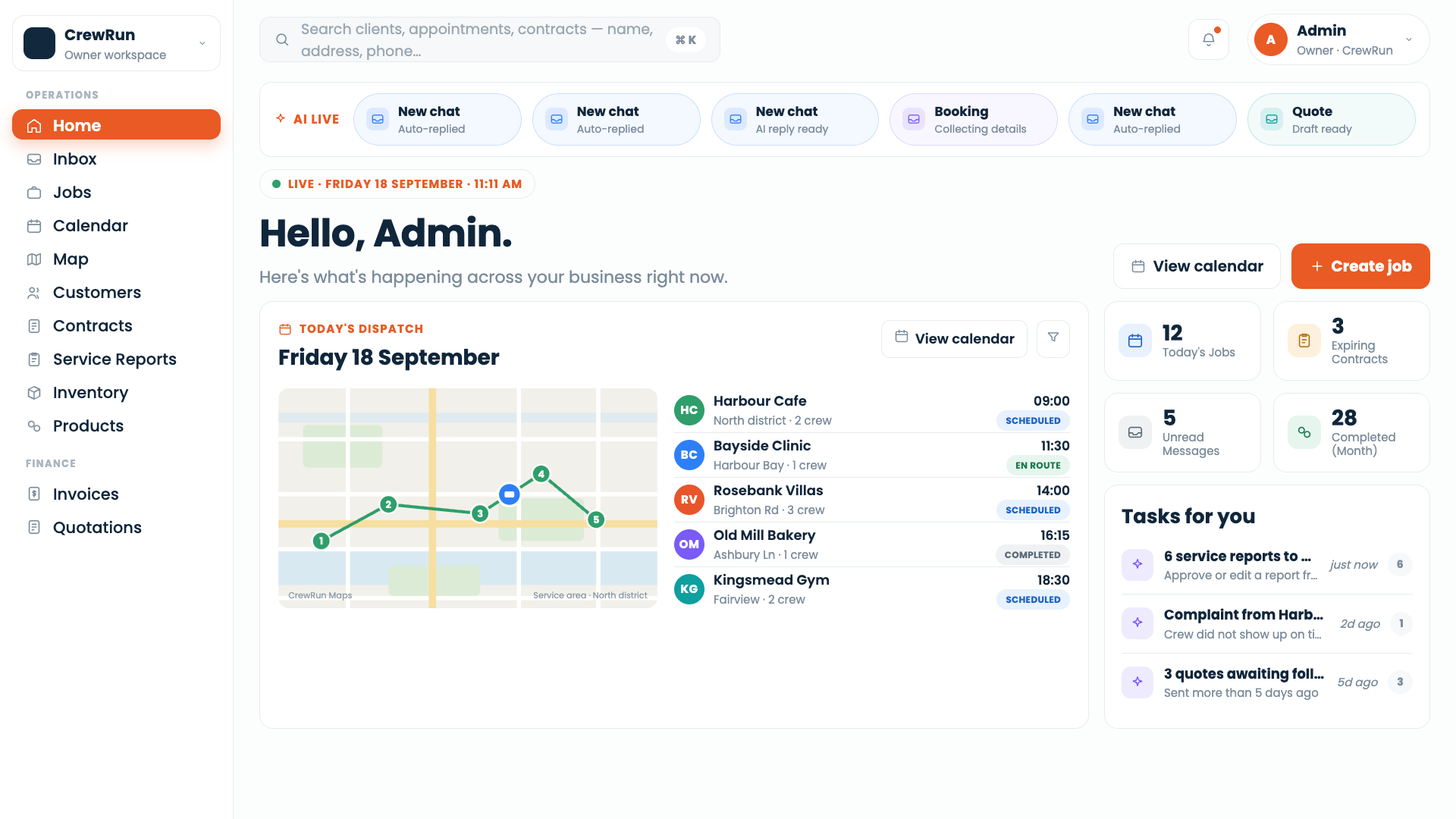
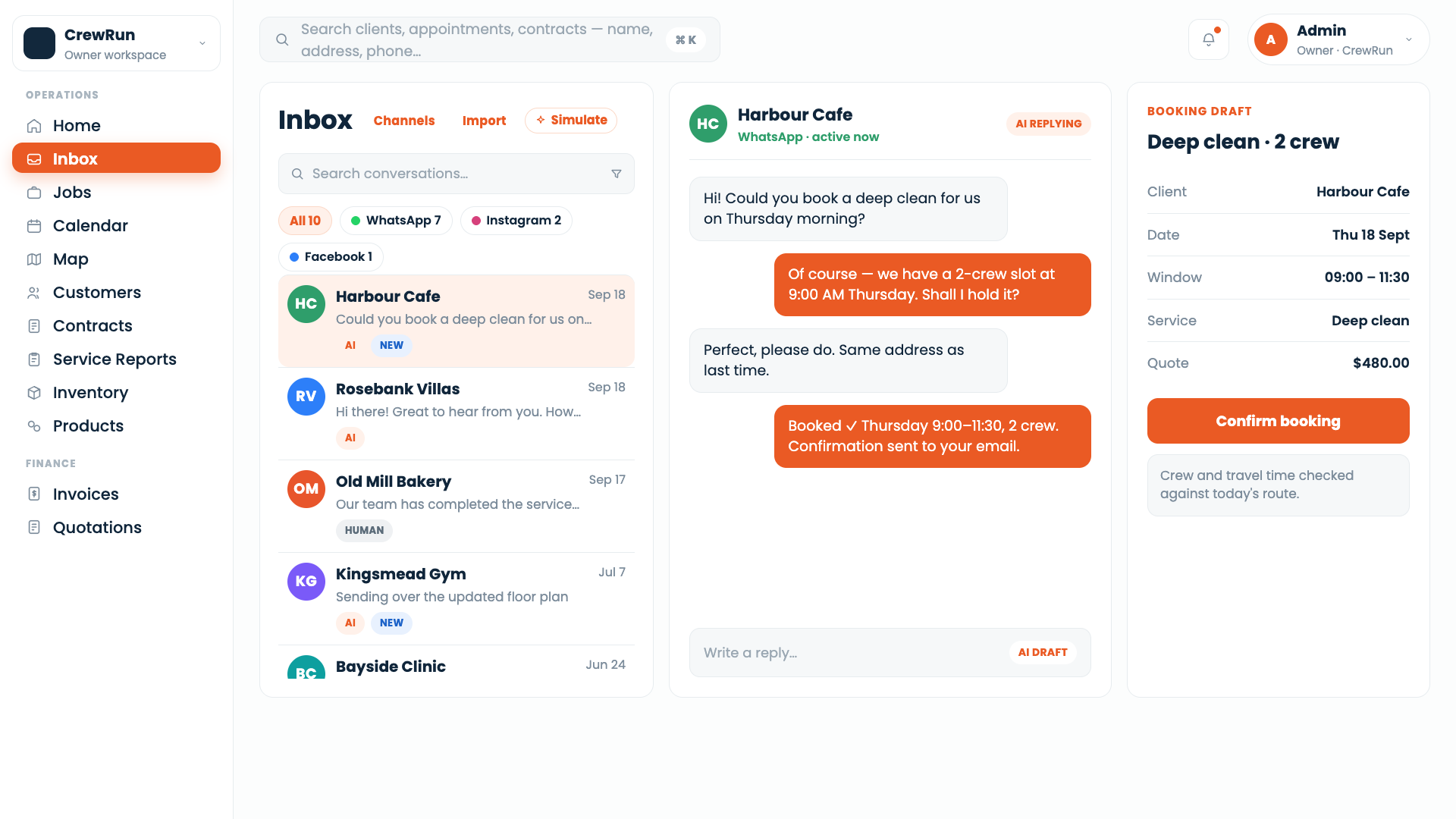
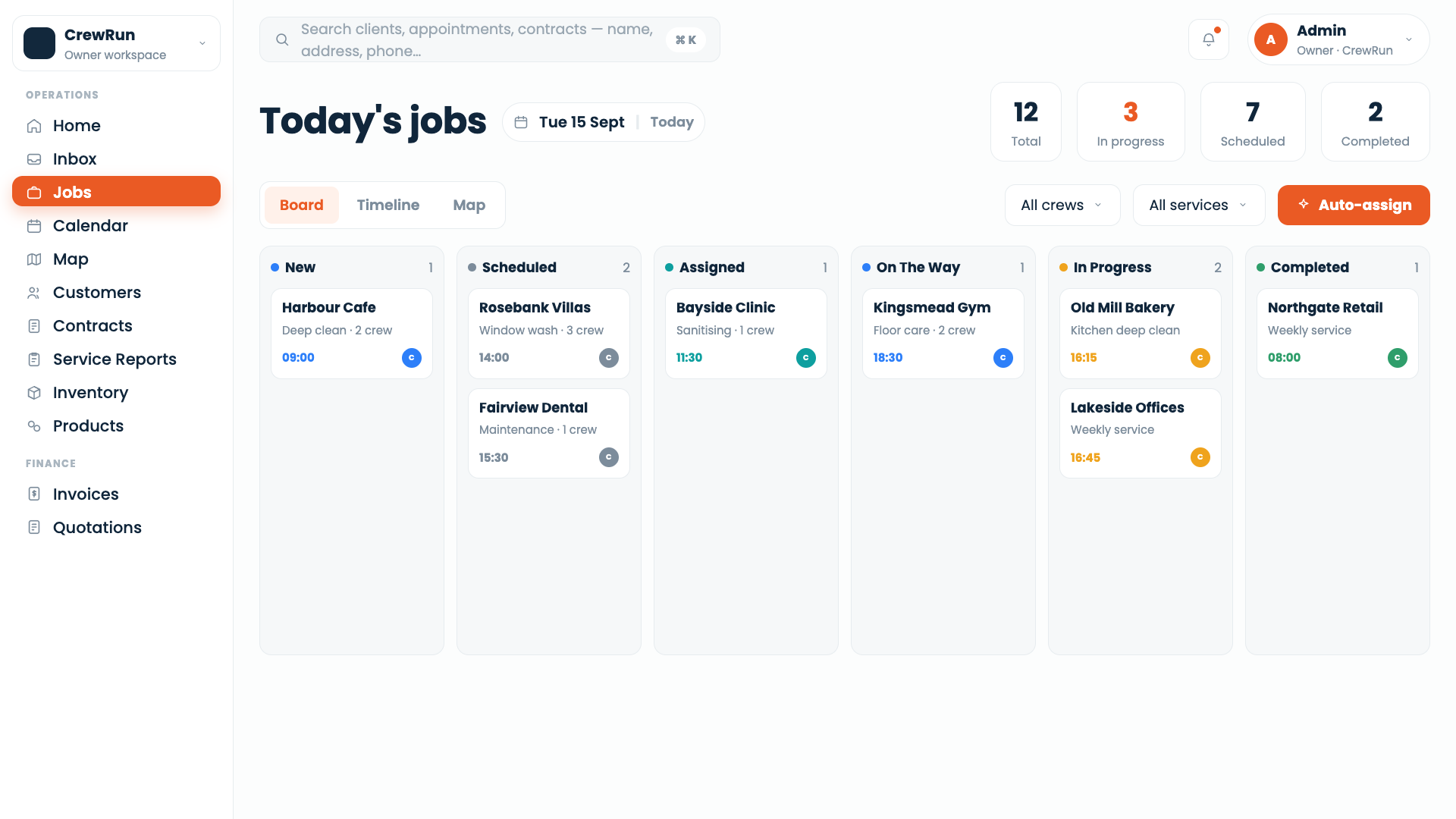
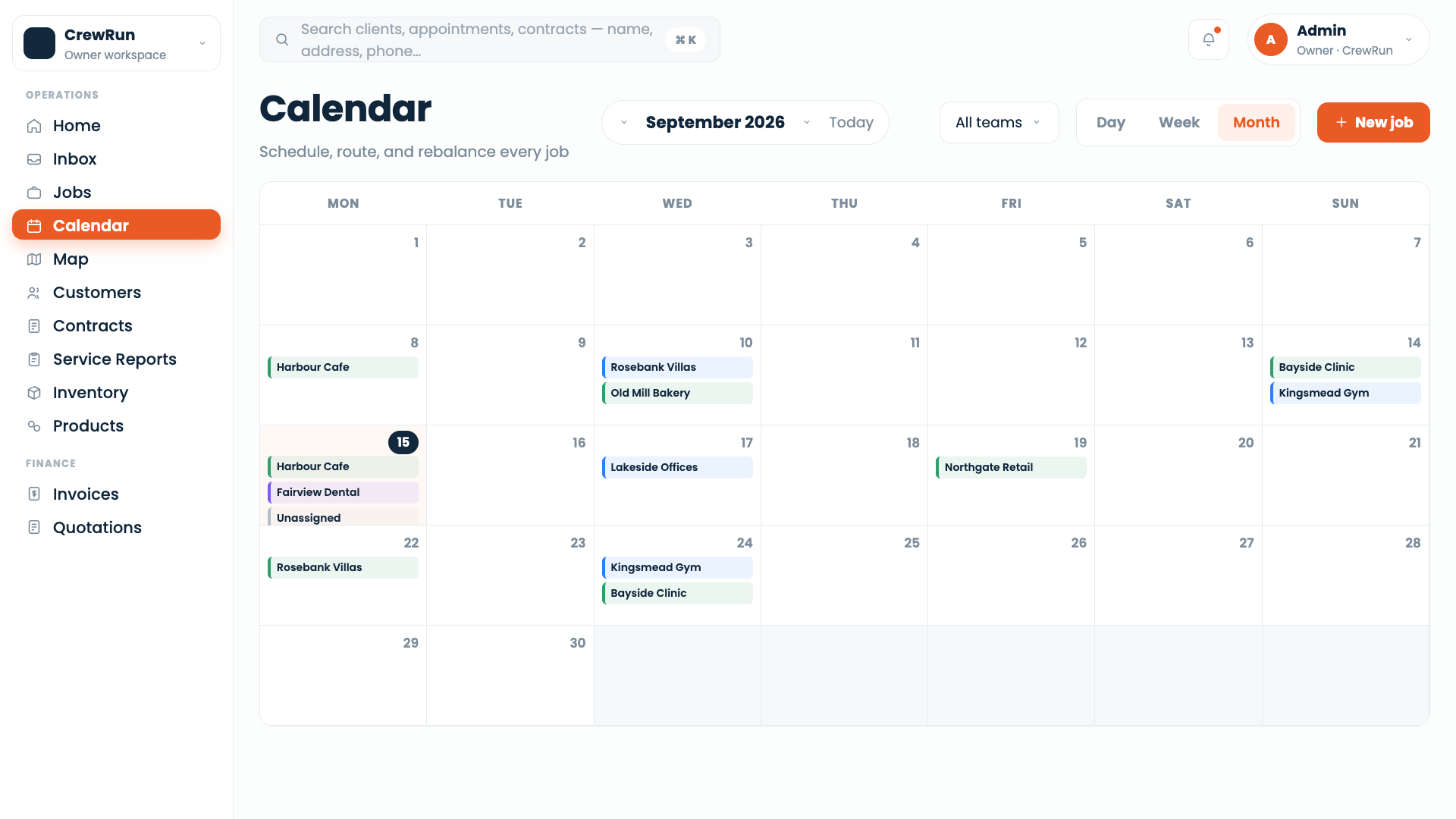
Every enquiry that comes in gets answered, priced, booked, dispatched and invoiced without you opening the thread. Watch one run start to finish, then look inside every step it took.

One message, handled without youSiti Lim · +65 ---- ----
AIHuman
Thu 21:03

CrewRun is answering this chat for you, day or night

Every job starts the same way: someone asks what it costs. Watch this one answer itself.

CrewRun is answering this one for you

What CrewRun does,
and what it doesn't.

Some of it CrewRun just deals with. The rest it brings to you. Here is how it decides.

Hire CrewRun
CrewRun handling an enquiry end to end, from the inbox through to the invoice

If it needs judgment, it waits for you.

Learn more

What changes when you have CrewRun.

Pick a situation. See both versions of your day.

A worker calls in sick at 7am. Four jobs are already booked.

Before · you do it
  • Voice note at 6:52am. You start ringing the others.
  • You text four customers one by one, apologising.
  • Two reschedule, one goes quiet, one cancels.
  • You lose the morning and a job.
After · CrewRun does it
  • Jobs reassigned to whoever is free and nearest.
  • All four customers messaged within 90 seconds.
  • Replies handled; the cancellation is flagged to you.
  • You read one summary at 8am.

A worker calls in sick at 7am. Four jobs are already booked.

Before · you do itAfter · CrewRun does it

Voice note at 6:52am. You start ringing the others.

Jobs reassigned to whoever is free and nearest.

You text four customers one by one, apologising.

All four customers messaged within 90 seconds.

Two reschedule, one goes quiet, one cancels.

Replies handled; the cancellation is flagged to you.

You lose the morning and a job.

You read one summary at 8am.

The difference isn't speed. It's that you weren't the one doing it.

What your crew sees
Arrived. Job done.
That's their half of it.

The job appears in their schedule with the address, the time, the customer and your notes. Directions on the way. Arrived when they get there, Job done when they leave. Notes and photos if they want them, nothing if they don't.

A technician's day in the CrewRun app, from the day's schedule through to job done
I used to write up every job back at the office. Now I tap before I'm out the gate. The report's already sent by the time I'm down the road.
Senior TechnicianAC & ventilation, Singapore
Hire CrewRun

CrewRun handles the repetitive admin work.
You keep the decisions.

  1. Nothing goes out without your say-so on the things that matter.

    Quotes above a threshold you set, schedule changes that affect your customers, any reply CrewRun isn't sure about — those come to you first. One tap to approve. You decide where the line is.

  2. You can see every decision it made, and why.

    Every message sent, every job booked, every invoice chased — there's a plain-English reason attached. Not a log file. A sentence you can read in five seconds. If something looks wrong, you see exactly what happened.

  3. You correct it once, and it stays corrected.

    A human hire needs the same thing explained twice — sometimes more. Tell CrewRun your plumber doesn't do Jurong, and it never offers Jurong slots again. No awkward conversation. No re-hiring. You said it once.

You've seen what it does. Now the only question left is who does it.

The work doesn't go away. Someone answers late at night, someone prices the job, someone chases the invoice into its second month.

Option A

Hire one adminOne admin

The traditional route — slower to start, easier to lose.

Can resign
Yes — with noticeYes
Training
3–6 months3 months
Hours covered
8 hrs, Mon–Fri
Quotes out per week
~18
After-hours enquiries lost
4 in 10

Six weeks to hire, three months to train — and it all walks out the door with them.

Never offOption B — CrewRun

An admin who starts todayCrewRun

Paperwork handled immediately, without training or turnover.

Can resign
Never
Training
None — day oneDay one
Hours covered
24 hrs, every day24/7
Quotes out per week
Every one, same dayEvery one
After-hours enquiries lost
None

Live this afternoon, working every hour of the week, and it never hands in notice.

Hire CrewRun

An Admin Who Starts Today And Only Ever Does The Paperwork.

Never Resigns, Never Needs Training, Never Touches A Decision You Didn't Make.

See what it costsPriced by crew size. No setup fee, cancel any month.

Priced by crew size.

No setup fee. No lock-in. 30 days money back guarantee. Prices in Singapore dollars.

Starter

1–3 crewStarts at

S$99/mo

S$1,188 billed yearly

  • WhatsApp answering 24/7
  • Automated job quoting
  • Booking and crew notification
  • Invoice sending
  • Full message history
  • 2 admins
  • 1,000 replies/mo
  • S$0.05/message after
Start smallor view full pricing

Scale

11–20 crewStarts at

S$788/mo

S$9,456 billed yearly

  • Everything in Growth
  • Priority response queue
  • Multi-location support
  • Custom quoting rules per job type
  • Dedicated onboarding call
  • 10+ admins
  • 20,000 replies/mo
  • S$0.03/message after
Let's scaleor view full pricing

Not sure which tier? Start with Growth — it fits most businesses we work with. More than 20 crew? Talk to us about a custom plan

Here's how you get set up. Guided from start to finish.

Dash, the AI admin inside CrewRun, walks you through setup in a chat. Stop whenever you like and pick up where you left off.

30 days money back guarantee. Cancel any time.

Setting up a CrewRun account, step by step with Dash

The questions that admins actually ask.

Do I need to replace my current tools?

Not all at once. CrewRun plays well with Xero (invoices), Google Calendar (per-tech sync), and Traccar (GPS). Many teams roll out the inbox first, then the rest over the next month.

Do I need to change anything about how I work?

No. Same number, same WhatsApp, same crew habits. CrewRun sits behind the number you already give out.

What happens if it gets something wrong?

It flags it for you immediately and waits. Nothing goes out without approval on anything it's uncertain about. If it does get something wrong — wrong price, wrong time — you correct it in the conversation and it notes it. That correction stays. It won't happen again.

What about my existing contracts and customers?

Bulk import via CSV during setup, or upload your finished Word/PDF contract template, we keep your layout exactly and merge customer data in per contract.

Where does my customer data go?

It stays in your account. It is never used to train anything, and you can export or delete all of it whenever you want.

What if I want to takeover a conversation?

Type in the thread or turn of AI chat handling. CrewRun steps back immediately and stays quiet until you hand it back.

Can my workers use this without a computer?

Yes, every tech logs into the mobile app with a username + password. They see today's jobs, capture before/after photos, log parts used, and grab customer signatures right there.

Does this replace my admin?

It does the paperwork an admin does. If you have an admin, it takes the repetitive half off their desk. If you don't, it means you may not need to hire one yet.

Got admin work?
Let CrewRun handle it.

Hire CrewRun

No setup fee · Cancel any time · Starts working from day one